
Para-Pairs
Finds a paragraph with style A followed immediately by a paragraph with style B, and re-styles the pair.
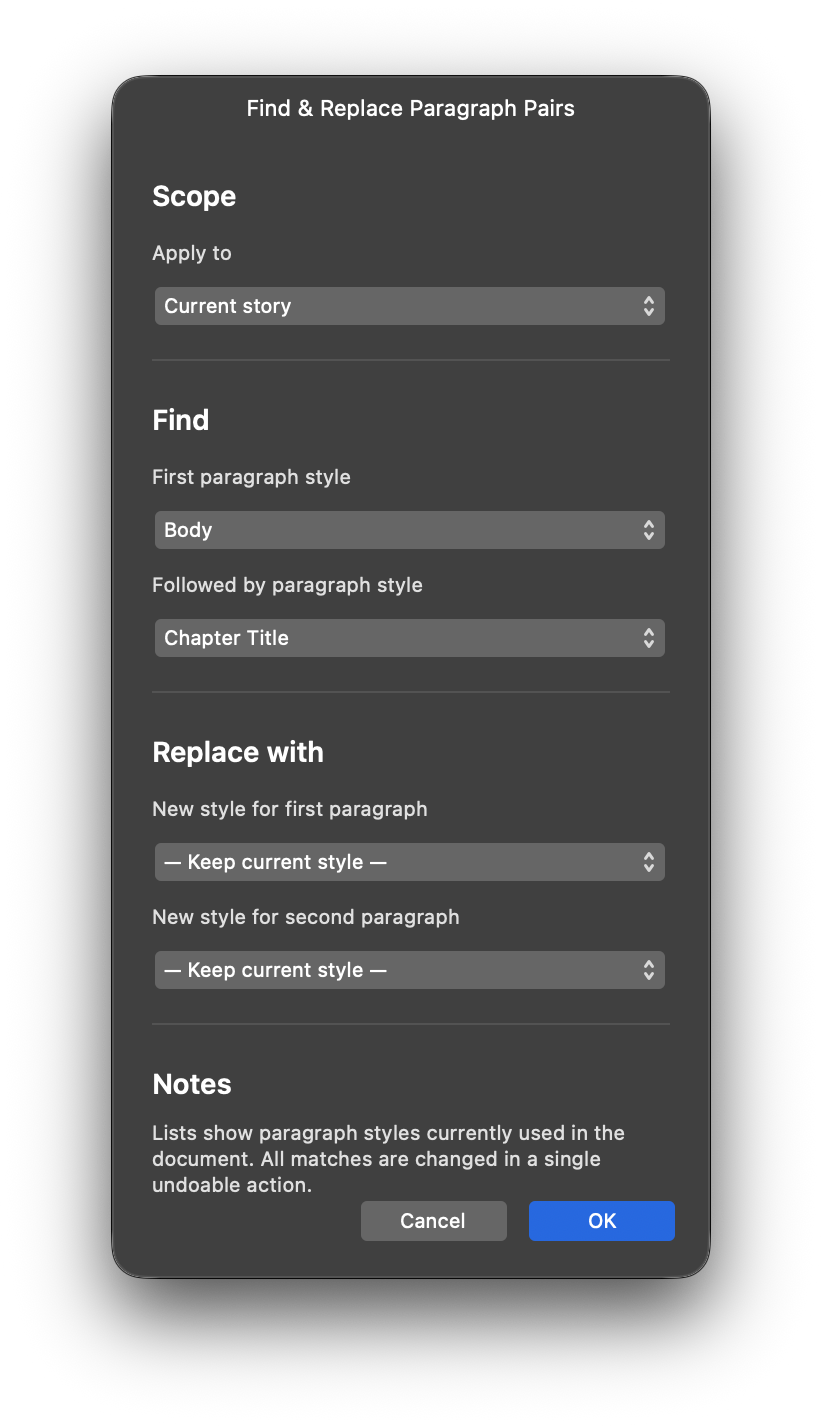
Finds a paragraph with style A followed immediately by a paragraph with style B, and re-styles the pair.
Installation
-
Download the zip file and unzip it.
-
Run the script in one of two ways:
a) Run directly — Open the Script Editor panel
(Window > Scripting > Script Editor), paste the contents
of para-pairs.js into the editor, and press Run.
b) Save to Script Library first — Follow step (a) above, then click Save As… to save the script to the Script Library. Open the Script Library panel (Window > Scripting > Script Library) and click the saved script once to run it.
Purpose
Finds every place where a paragraph with one style is followed immediately by a paragraph with another style, and re-styles the pair — for example, turning all “Heading followed by Body” pairs into “Chapter Title followed by First Paragraph”. Either half of the pair can be changed independently — the upper paragraph, the lower one, or both — so you can, say, re-style just the Headings above while leaving the Body text below untouched. Master pages are scanned, and the whole run is applied in a single undo step.
How it works
The script first scans the document for the paragraph styles in use, then opens a dialog where you pick the pair to find and a replacement style for each half of the pair (or keep either half as it is). It matches each pair by its first paragraph, applies your replacements across the document, story, or selection you chose, and finishes in one undoable action without moving you to another page.
Features
- Pair matching — Finds style A immediately followed by style B
- “Any paragraph style” — Match any style in either half of the pair
- “Keep current style” — Leave either half of the pair untouched
- Three scopes — Whole document, current story, or current text selection
- Caret friendly — A bare caret narrows the run to its story, never to a phantom selection
- Master pages — Frames on master pages and in linked stories are included
- Single undo — All changes revert in one step with a descriptive History label
- Stays on your page — The viewport never moves as a result of the run
Usage tips
- Clicking a text frame (without selecting text) narrows the run to that frame’s story; dragging across text narrows it to the selection.
- With just a caret in the text, pick the story scope — it covers everything a selection scope would find, and more.
- If a “no match” result surprises you, open Window > Console
and look for the
para-pairs: scope snapshot …line: it shows which scope the script detected and how many stories it scanned. - The style lists show only styles already used in the document, so a style with no paragraphs yet will not appear.
Known limitations
- A selection spanning separate, unlinked stories falls back to searching the whole document.
- Only paragraph styles already used in the document can be picked; new styles must be created in Affinity first.
- Setting both replacements to “Keep current style” changes nothing — the dialog says so and lets you adjust.
- The script needs an open document containing text frames.
Changelog
1.2.7 - Quality pass with no behavior change: CONFIG object and section banners added for navigability, all string-building converted to template literals, and the dialog-loop body extracted out of main() into a named helper.
1.2.6 - Standard error wrapper around main() with a Console trace and alert; tryGet/tryDo helpers replace silent empty catches; cache the frame list and text flows per run.
1.2.5 - Require /commands at top level (proven selection-safe); drop the getCommandModules lazy getter.
1.2.4 - Code-size reduction with no behavior change: unified probe helper, single snapshot path per selection kind, merged spread grouping, data-driven format sides and dialog combos.
1.2.3 - Label the History entry from the first format command (useAsDescription) instead of the first spread switch; restore the starting spread only when the run ended elsewhere.
1.2.2 - Process the starting spread last so the run ends where the user started with no trailing restore switch; spread-switch history entries reduced to the SDK-mandated minimum.
1.2.1 - Discriminate caret from selection with a length probe when the marker finds a multi-character run: an insertion (+1) proves a collapsed caret and demotes to story scope; a replacement keeps the selection scope.
1.2.0 - Match scope by text-flow membership (textFrameInterface.textFlowNodes) instead of comparing Story objects, which expose no identity primitive; scope filtering now works for story and selection scopes.
1.1.3 - Demote one-character marker runs to caret scope (story only, never a phantom selection scope); log a one-line scope-snapshot diagnostic to the Console.
1.1.2 - Guard probe cleanup undos with history position, so a silently failed marker/probe can no longer pop the user’s own history entry.
1.1.1 - Restore the original current spread at the end of the run, so the viewport no longer ends on the last page.
1.1.0 - Native story-identity scope matching; live-selection and caret scope detection; grouped spread switching in one undo step.
1.0.0 - Initial version