
LaTeX Editor
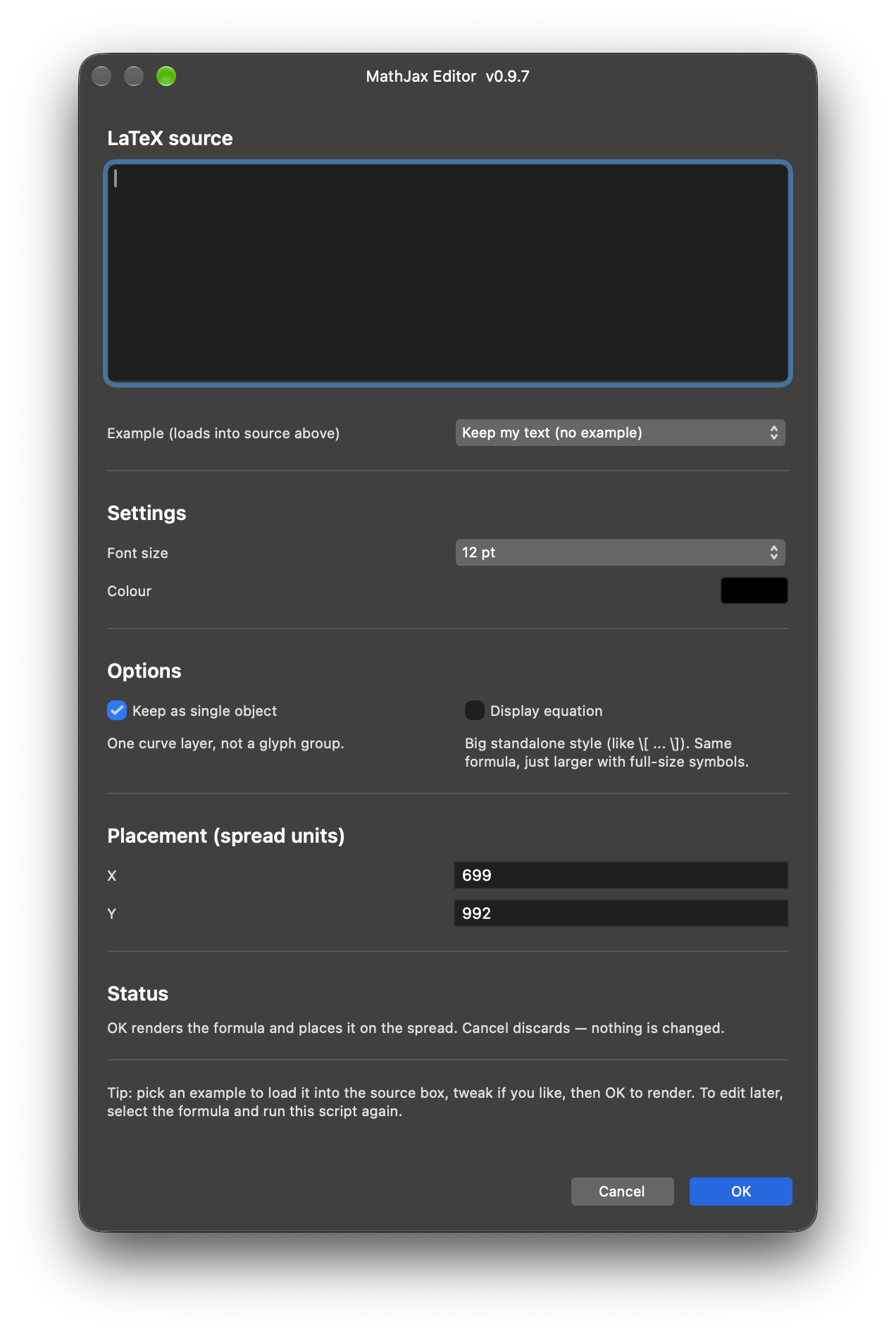
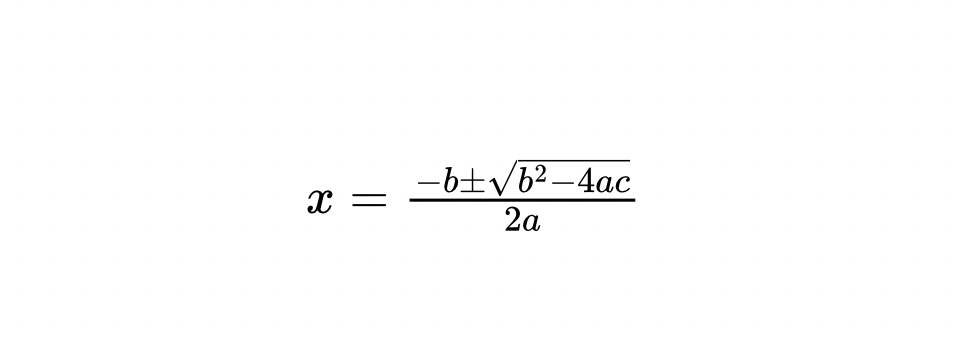
Type LaTeX and place publication-quality mathematical formulas as native Affinity vector curves.
Type LaTeX and place publication-quality mathematical formulas as native Affinity vector curves.
Installation
-
Download the zip file (
latex-editor.zip: the script, this guide as PDF, and thetex2svg.bundle.jslibrary) and unzip it somewhere permanent — Affinity reads the library file from disk on every run, so do not delete the folder afterwards. Note the folder path. -
Run the script in one of two ways:
a) Run directly — Open the Script Editor panel (Window > Scripting > Script Editor), paste the contents of
latex-editor.jsinto the editor, and press Run.b) Save to Script Library first — Follow step (a) above, then click Save As… to save the script to the Script Library. Open the Script Library panel (Window > Scripting > Script Library) and click the saved script once to run it.
-
Before first use: set
CONFIG.LIBRARY_FOLDERat the top of the script to the folder from step 1, and allow that folder in Affinity Settings → File System Access. A Desktop copy oftex2svg.bundle.jscan be used instead, but the Desktop must still be allowed. The script verifies the library before showing its dialog and tells you exactly what to fix.
Purpose
You type LaTeX—or pick an example—and the script renders it with MathJax 3.2.2, placing the result on your spread as native Affinity vector curves. By default, the formula becomes one merged curve layer; untick the option for separate editable glyph curves in a named group.
Select any part of a formula created by this script—even a single curve inside a group—and run it again to re-edit in place: the dialog reopens with your source and settings pre-filled, OK re-renders it in the exact spot, and Cancel keeps the original untouched.
How it works
The script parses MathJax SVG output in memory and converts it directly into Affinity curves, without creating a helper file or second document.
- Fresh formulas are placed with the dialog’s X/Y coordinates.
- Re-edited formulas replace the selected formula in place.
- Display mode controls the internal equation layout: unticked formulas use compact inline styling, while ticked formulas use larger standalone styling with full-size symbols.
- The choice between a merged single object and an editable glyph group is stored with each formula and offered again when re-editing.
- The dialog shows a live outline count for valid source—or a friendly error for invalid source—as you type.
- The optional live canvas preview paints a transient formula while the dialog is open. Invalid or empty source clears the preview; Cancel discards it and leaves the original untouched.
- Render errors return you to the same dialog with values preserved and an actionable message.
Typesetting coverage
The engine covers mathematical structures including superscripts and subscripts, fractions, roots, integrals, sums, Greek letters, matrices, growing delimiters, multiline alignment, tags, text in math, extensible arrows, proof trees, boxed and cancelled expressions, and chemical equations through mhchem.
Characters without vector outlines in MathJax’s fonts—such as upright Greek, ℃, €, and \unicode{…}—are skipped with a warning. Network-dependent commands, on-demand extensions, some physics macros, per-glyph colours, HTML links and tooltips, automatic equation line-breaking, and live label/reference numbering are not supported.
Usage tips
- Start from a clean slate: click empty canvas—or press Esc—so nothing is selected before running a fresh formula.
- To re-edit, select only the intended formula first. A stray selection on an old formula turns the run into a replacement rather than a fresh insert.
- A double image while re-editing is expected: the dialog paints a live preview over the untouched original. OK replaces the original with the preview; Cancel keeps the original and discards the preview.
- Colour has no live preview because colour pickers emit no dialog events; recolouring applies when you press OK.
- Cancel is always safe and leaves the original formula untouched.
- If output looks wrong in one mode, try the other: merged single-object and editable-group rendering use different geometry paths.
- Expressions with strokes crossing glyphs are intentionally placed as an editable group.
- Note the formula, render mode, Console output, and appearance at 100% and 400% when diagnosing a problem.
- Begin with the built-in examples after an upgrade or when learning the script.
Requirements
- Affinity by Canva 3.3.
- An open document — the script alerts and stops if none is open.
tex2svg.bundle.jsin a permanent, readable library folder allowed under Affinity Settings → File System Access.- A proofing font is not required; formulas use MathJax’s vector outlines.
Known limitations
- The re-edit preview ghost is cosmetic: the SDK offers no way to hide the original node while the dialog is open, and it never affects output.
- Formulas made by earlier script versions remain re-editable, but ungrouped or broken-apart curves lose their container tag and are treated as fresh inserts.
- Letter holes and unusual outline crossings depend on the MathJax version’s outlines; inspect large-zoom output after a renderer upgrade.
- Display mode changes internal layout and size only; centering and surrounding spacing remain your responsibility.
- Custom font sizes beyond the dialog list require setting
CONFIG.DEFAULT_FONT_SIZE.
Changelog
0.9.20 - Code-review cleanup round two (no render/insert logic change, live-tested): DialogResult comparison simplified to the confirmed == idiom used everywhere else in this toolkit, dropping needless manual .value unwrapping; fatal setup/render failures now also go through console.error, not just the custom log wrapper; pasted LaTeX gets a well-formedness guard before any regex work; the ~100 duplicated lines of tag/compound-command plumbing shared by the single-object and group insert paths are now one shared pair of helper functions; createCompoundCommand swapped for the CompoundCommandBuilder idiom used by every other multi-command script in the repo; duplicated/leftover comment blocks removed.
0.9.19 - Two bug fixes from a code review: the fatal-error cleanup path referenced a variable out of scope, so it silently never ran, and is now hoisted correctly; the selection used for re-edit detection is now captured before the SDK modules that can clear it are loaded, matching this toolkit’s documented safe require order. No render logic change.
0.9.18 - Re-edit wording now covers selecting any part of a formula; live preview is on by default after in-app verification.
0.9.17 - Added live canvas preview behind CONFIG.LIVE_PREVIEW: transient re-render on every change, cleared on invalid input, OK, or Cancel; colour remains OK-time-only.
0.9.16 - Added live dialog status: outline count or friendly error updates as you type, without alerts, inserts, or undo; rendering remains OK-gated.
0.9.15 - Refined crossing detection so tangent touches remain merged while true voids still use grouped output; added troubleshooting and clean-slate guidance.
0.9.14 - Stroked rectangular outlines render as rings rather than slabs; solid fraction rules unchanged.
0.9.13 - Formulas with genuinely crossing strokes fall back to grouped placement with a logged reason.
0.9.12 - Fixed double-arrow stubs for wide same-assembly glyph pairs without opening gaps.
0.9.11 - Validated re-edit placement with fallback coordinates and improved placement logging.
0.9.10 - Stitched visible runs of cut loops so clipped shafts retain their fill area.
0.9.9 - Fixed arrow shafts, nested-SVG viewport offsets/clipping, and sibling head-stub joints.
0.9.8 - Added warnings and workarounds for characters without vector outlines.
0.9.7 - Improved library setup, configuration wording, and pre-dialog setup checks.
0.9.6 - Simplified default library lookup with optional shared-folder configuration.
0.9.5 - Rewrote and expanded the guide and dialog wording.
0.9.4 - Added an options section and improved checkbox alignment.
0.9.3 - Arranged output options in a two-column row.
0.9.2 - Tidied dialog layout and hardened single-object behavior.
0.9.1 - Removed the helper-document rendering path.
0.9.0 - Introduced in-memory MathJax SVG-to-curve rendering.
0.8.2 - Added the merged single-object option.
0.8.1 - Fixed curve fill/line ordering and file creation.
0.8.0 - Renamed the tool from KaTeX to MathJax and added in-dialog examples, placement controls, persistent values, and re-editing.
0.7.1 - Adjusted formula scaling, default size, and helper filenames.
0.7.0 - Previous version.