
Bringhurst Kerning Highlighter
Recreates Bringhurst's kerning test page as a proofing specimen with kern-lapse pairs highlighted.
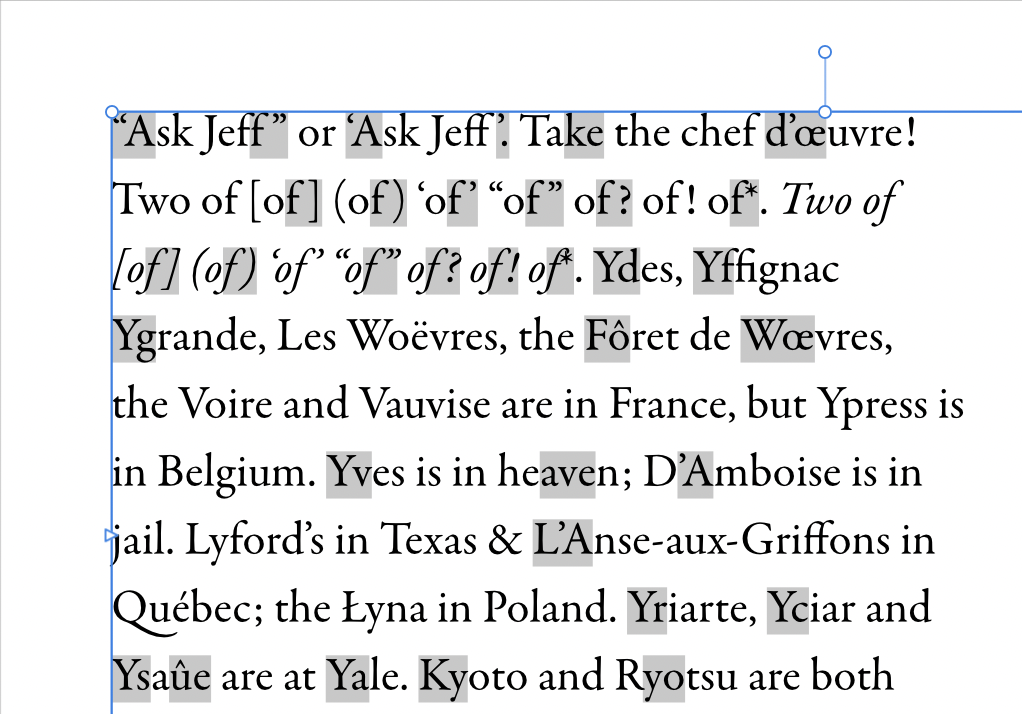
Recreates the kerning test page from Bringhurst’s The Elements of Typographic Style (4th ed.) as a proofing specimen with kern-lapse pairs highlighted.
Installation
-
Download the zip file and unzip it.
-
Run the script in one of two ways:
a) Run directly — Open the Script Editor panel (Window > Scripting > Script Editor), paste the contents of
bringhurst-kerning-highlighter.jsinto the editor, and press Run.b) Save to Script Library first — Follow step (a) above, then click Save As… to save the script to the Script Library. Open the Script Library panel (Window > Scripting > Script Library) and click the saved script once to run it.
Purpose
Builds a dedicated proofing page from Bringhurst’s classic kerning test text so an unfamiliar font can be judged before its kerning table is tuned. The script places a text frame on the current spread, sets the test passage in the chosen font, highlights each kern-lapse pair, and italicises the runs that are italic in the source. It changes nothing in the existing document text — it only adds the specimen frame.
Use it as the first proofing step before previewing or applying kerning-pair changes.
This is only a specimen, not a diagnosis. The highlighted pairs are candidate kern-lapse positions — a well-kerned font may show correct spacing on them, and that clean result is itself the verdict. The typesetter’s eye, not the highlight, decides whether a font needs kerning applied.
How it works
The embedded test passage includes Bringhurst’s “Ask Jeff” lines, the
of series, place names, and the closing date-and-time line.
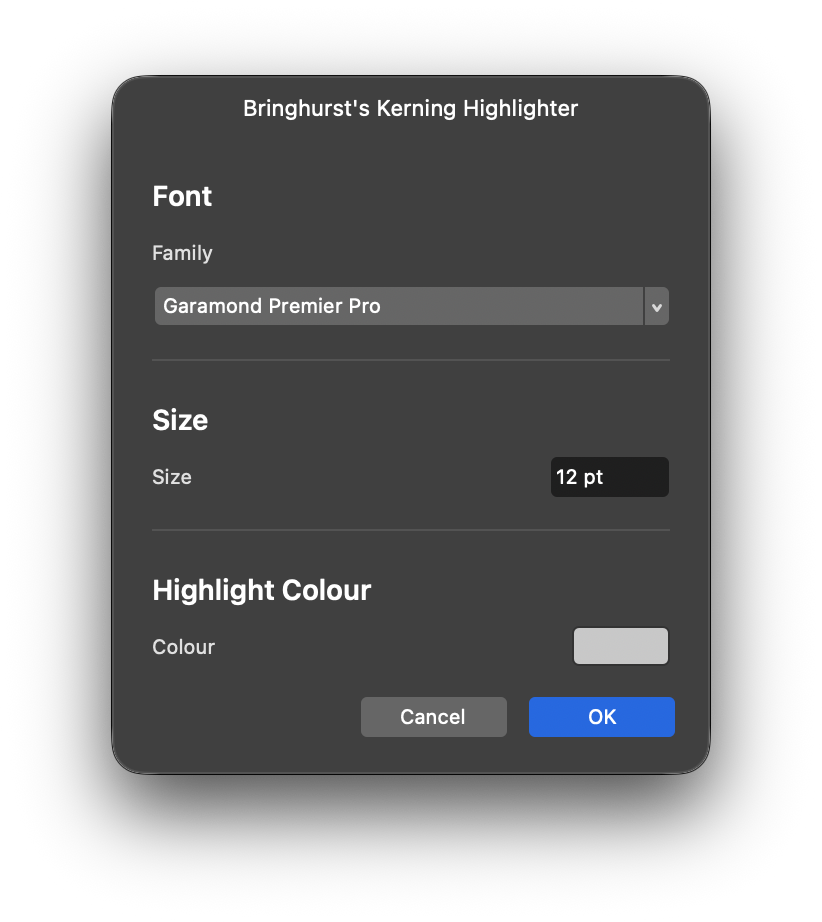
- The dialog collects the font, size, and highlight colour.
- A text frame is created on the first spread, inset 10 mm on every side. Page and frame sizes are logged to the Console in mm.
- The passage is set through
StoryBuilderand placed withAddChildNodesCommandBuilder. - The italic source run is applied.
- Each entry in the kerning-pair table highlights a two-character range with the selected highlight fill. The result and applied font/size are logged to the Console.
Dialog
- Family — font picker, required. The run aborts with an alert if no family is chosen.
- Size — point-size picker, range 4–144 pt, default 10 pt.
- Highlight Colour — colour picker, default mid grey
(
RGBA 200, 200, 200). One colour is used for every highlighted pair.
Cancelling the dialog aborts cleanly and logs cancelled to the
Console.
Usage tips
- Proof at the size you will actually set, and re-run the specimen on every change of font size: the same pair can look fine at 10 pt and fail at display sizes, so each size needs its own verdict.
- Re-run the specimen in a different family to compare two candidate fonts side by side on identical text.
- Check the Console for the applied font, size, frame measurements, and cancellation status.
Requirements
- Affinity by Canva 3.3.
- An open document — the script alerts and stops if none is open.
- The proofing font installed and selectable in the font picker.
Known limitations
- Highlight positions are fixed story indices into the embedded test text. Editing the test text without updating the table misplaces the highlights.
- The frame always goes on the first spread; there is no spread picker.
- One highlight colour is used for all pairs — problem classes are not colour-coded.
- Frame creation, italic formatting, and highlighting run as separate commands, so reverting takes more than one undo step.
Changelog
1.1.0 - Renamed from kerning-highlighter.js (no behavior change)
1.0.1 - Maintenance release (script header, 19/09/2026)
1.0.0 - Initial version